Table of Contents
- 1. Scope and Safety
- 2. Sample Information and Hashes
- 3. VirusTotal Check
- 4. File Type and Basic Details (DIE)
- 5. Sections and Packing Signs
- 6. Imports and Why They Look Wrong
- 7. I Tried FLOSS and What the Error Means
- 8. PEStudio Strings and What Stood Out
- 9. Certificate / Signature Observations
- 10. Correlating With Public Research (CISA)
- 11. Conclusion
- 12. Sources
1. Scope and Safety {#scope}
I did this analysis using a safe lab environment and focused only on static analysis. I did not run the malware. I chose static analysis first because it lets me learn about the file structure, packing signs, strings, and metadata without giving the malware a chance to execute.
2. Sample Information and Hashes {#sample}
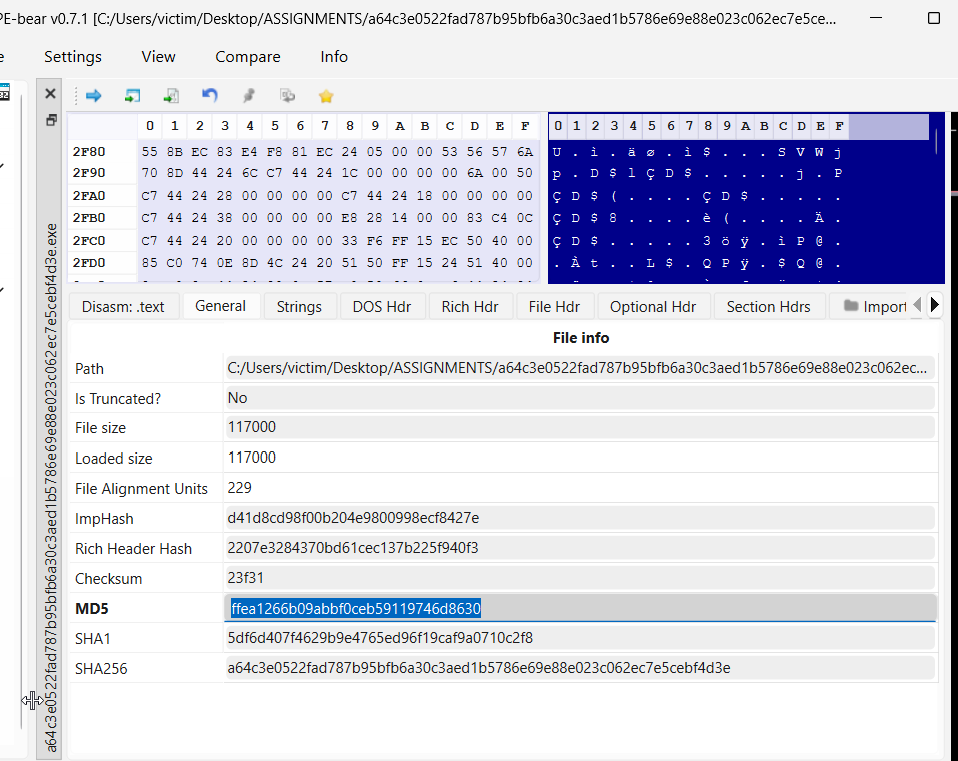
I started by opening the file in PE-bear to collect the hashes and confirm the file identity. The reason I do this first is because hashes are like fingerprints: they let me verify I’m analyzing the exact same file when I check it in VirusTotal or compare it to public reports.
SHA-256: a64c3e0522fad787b95bfb6a30c3aed1b5786e69e88e023c062ec7e5cebf4d3e
3. VirusTotal Check {#vt}
Next, I searched the SHA-256 hash in VirusTotal. I did this because VirusTotal helps answer two important questions early: (1) Is this sample already known and detected by many vendors? (2) Are there tags or names that point to a malware family?
VirusTotal Link: View Detection Page
From VirusTotal, I could confirm it is widely detected. However, detection names can differ between vendors, so I treated VirusTotal as an “early signal” and continued with my own static checks.
4. File Type and Basic Details (DIE) {#filetype}
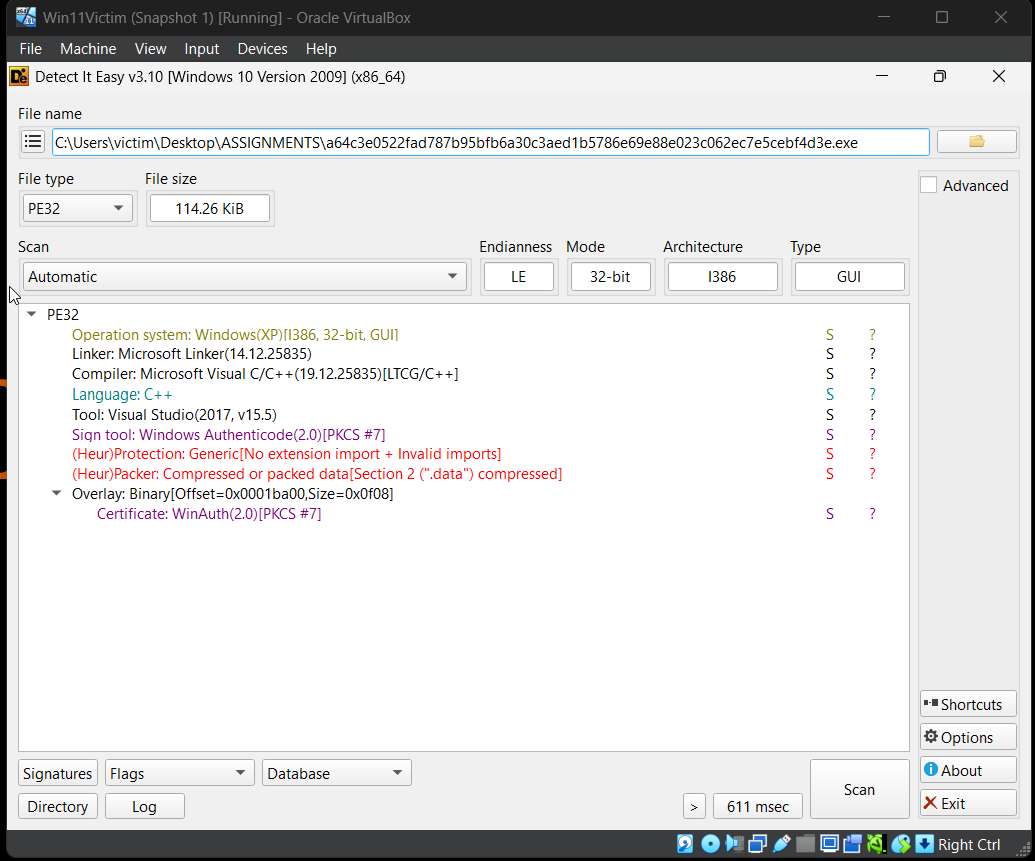
I used Detect It Easy (DIE) to check the file type, architecture, and compiler hints.
This matters because knowing if a file is 32-bit or 64-bit helps decide what tools to use (x32dbg vs x64dbg),
and it also helps understand compatibility.
DIE showed the sample is a PE32 file (32-bit, x86) and looks like it was built to be compatible with Windows XP. My reasoning here is that “Windows XP” in tools often means the malware was compiled with older settings for broad compatibility. That does not mean it only runs on XP.
5. Sections and Packing Signs {#sections}
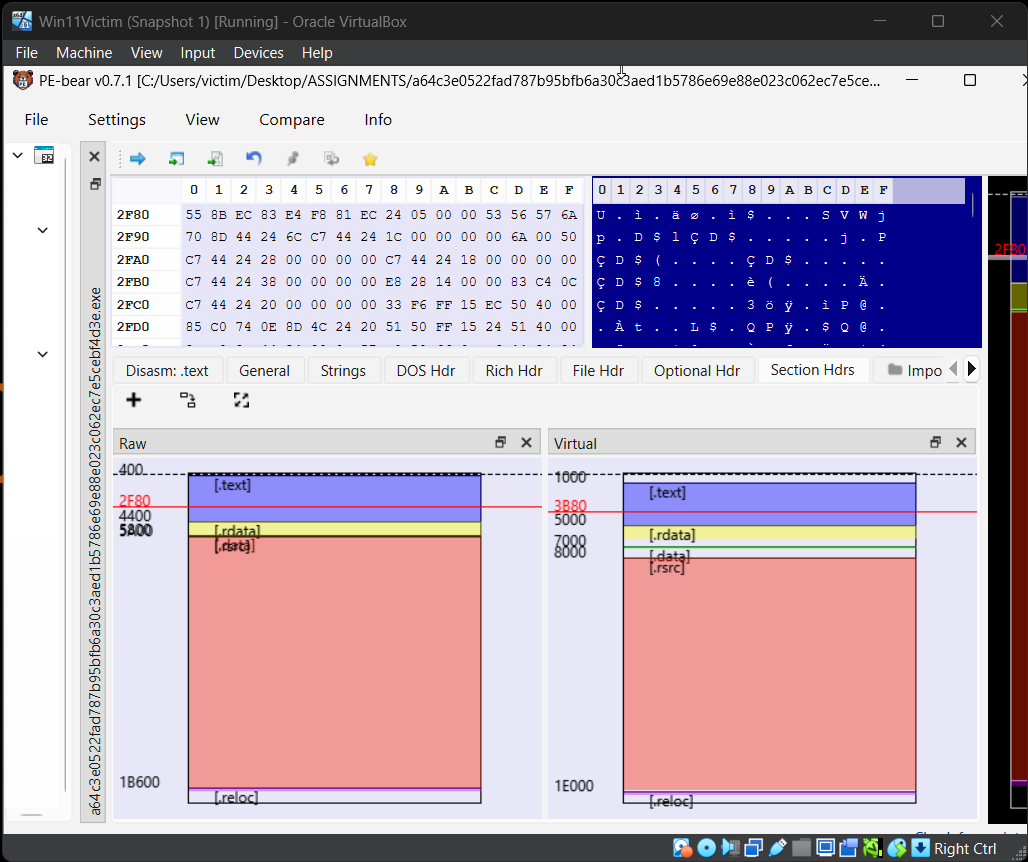
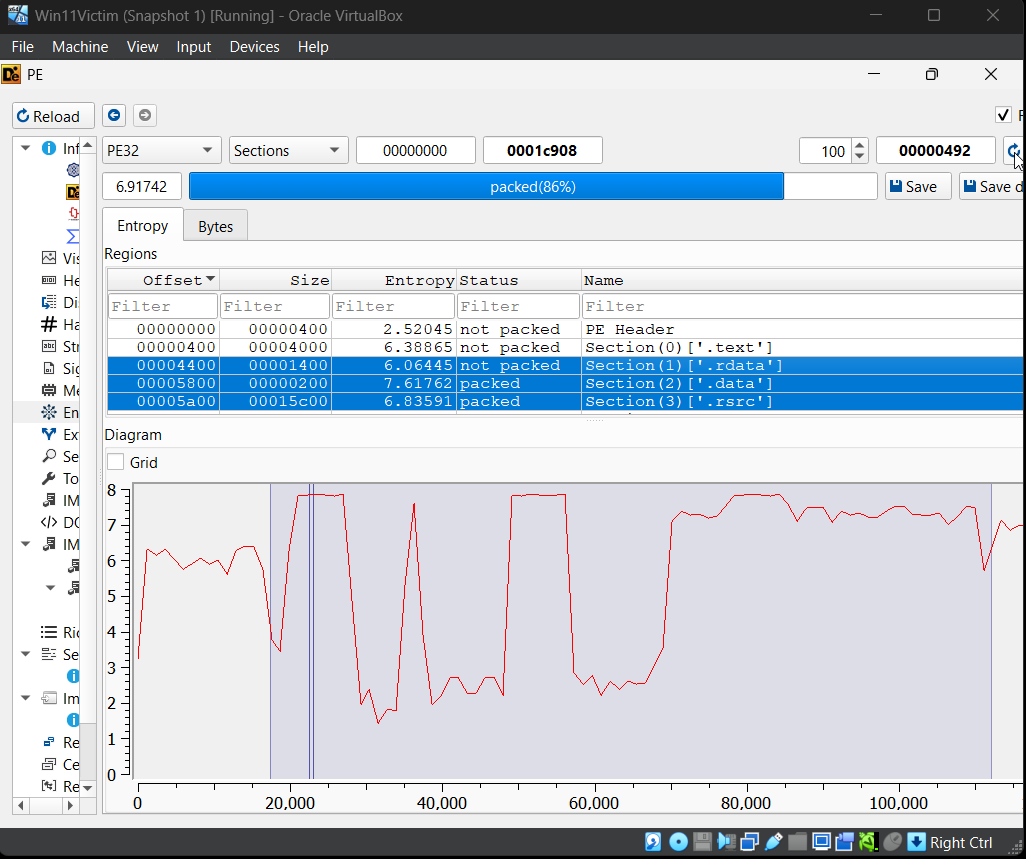
After file identification, I checked sections and entropy. I did this because packed malware often shows high entropy in some sections (meaning the bytes look random). Random-looking data often means compression or encryption, which is a common way malware hides its real code.
In my results, some sections looked normal, while others looked highly packed. This was my first strong hint that the sample is not “plain code” and may unpack itself at runtime.
6. Imports and Why They Look Wrong {#imports}
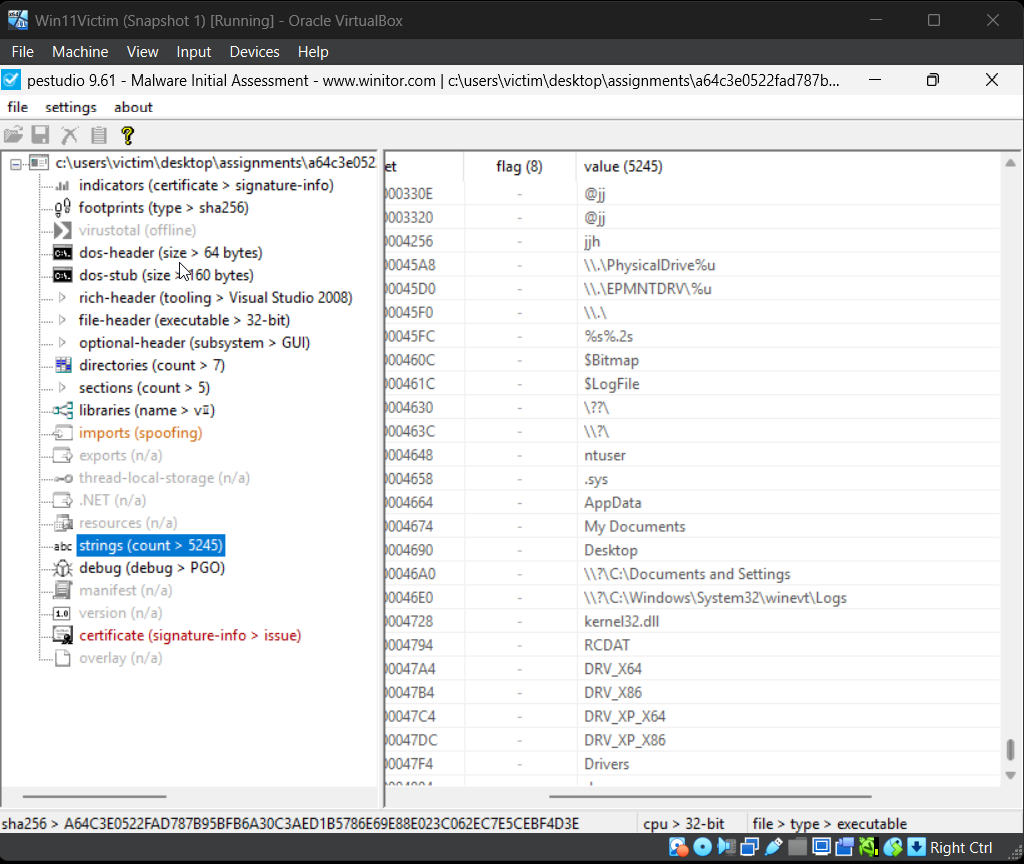
I reviewed imports because imports usually tell you which Windows APIs a program uses (file access, networking, registry, etc.). In this sample, imports did not look normal: they appeared missing, malformed, or spoofed.
My conclusion from this was: the malware likely avoids a clean import table and instead resolves APIs at runtime
(for example using LoadLibrary/GetProcAddress patterns). Malware does this to make analysis harder and to reduce obvious indicators.
7. I Tried FLOSS and What the Error Means {#floss}
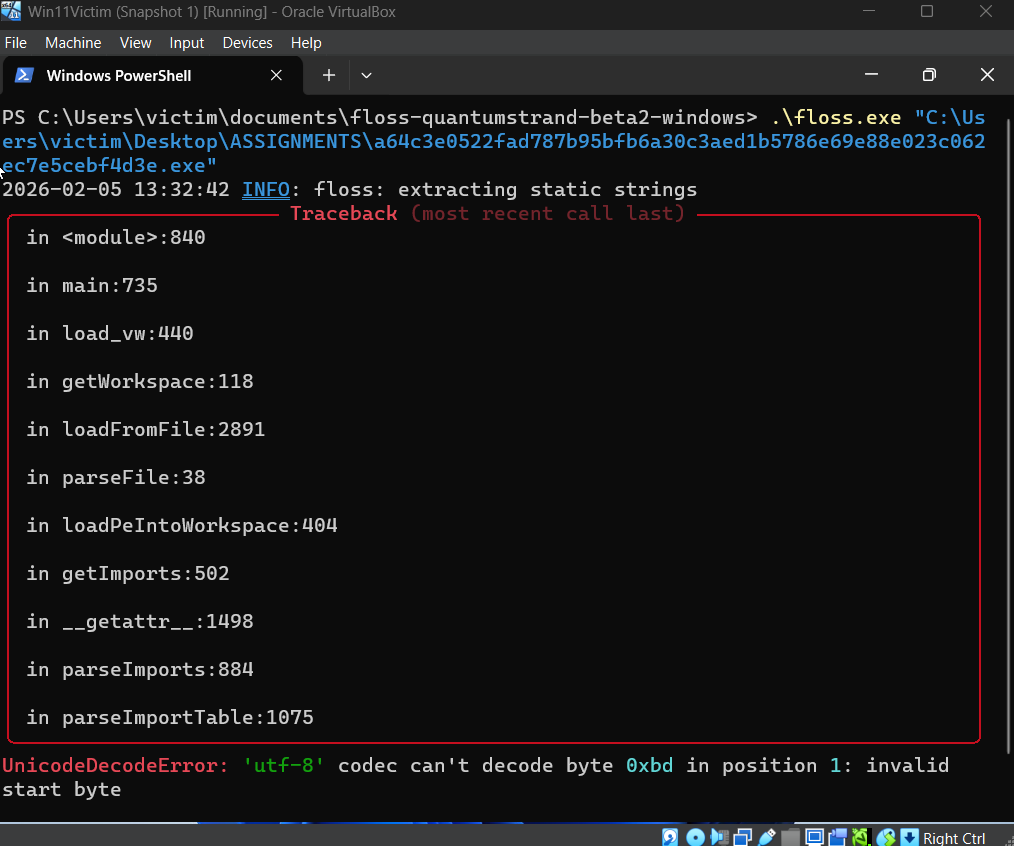
At this stage I wanted decoded strings, so I tried FLOSS. I tried running it normally and also with verbose modes to get more detail.
FLOSS crashed with a UnicodeDecodeError. My reasoning is that this happens when a tool expects readable text at some location
but the sample contains packed/encrypted bytes or malformed data structures.
This supported the earlier idea that the file is packed/obfuscated and not friendly to automated string extraction.
8. PEStudio Strings and What Stood Out {#strings}
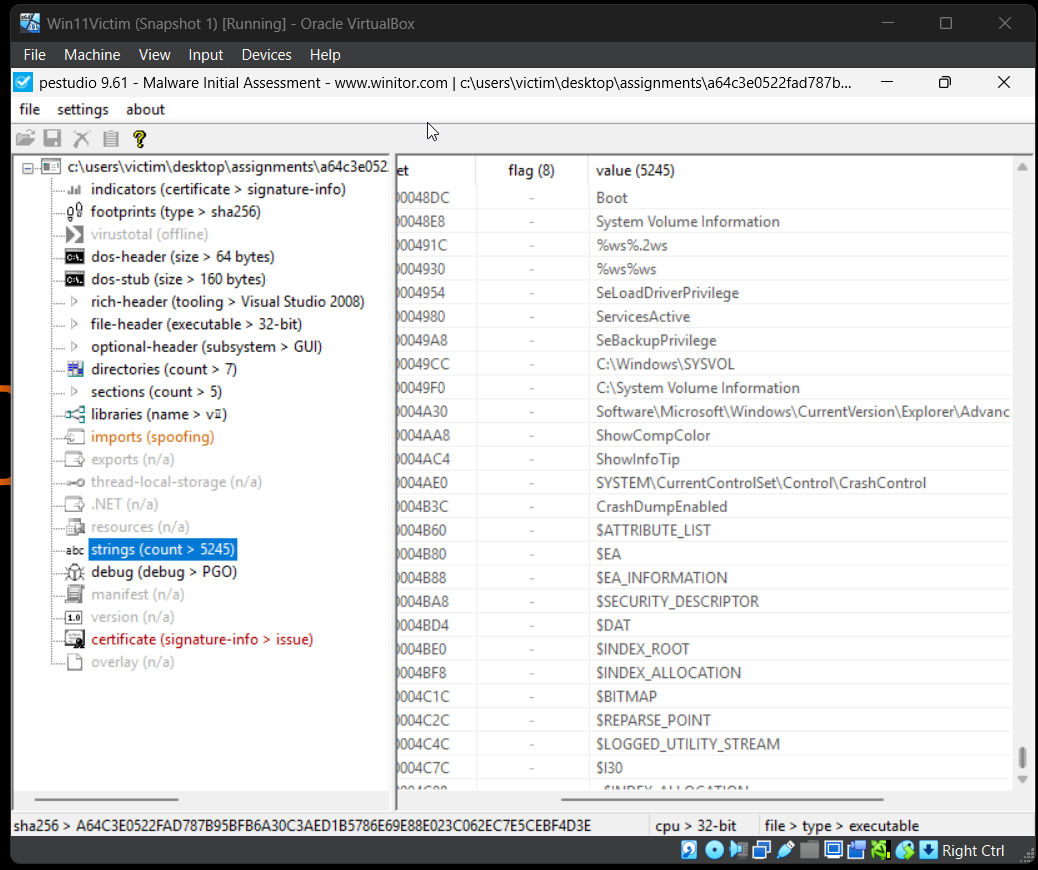
Since FLOSS did not work, I moved to PEStudio’s strings view. Most strings were gibberish, which is common when strings are encrypted or the file is packed.
However, some readable strings near the end stood out, such as disk-related paths and system locations. My reasoning here is simple: strings like physical drive paths can point to low-level disk access. That is not common for normal apps, but it is common for destructive malware like wipers.
9. Certificate / Signature Observations {#cert}
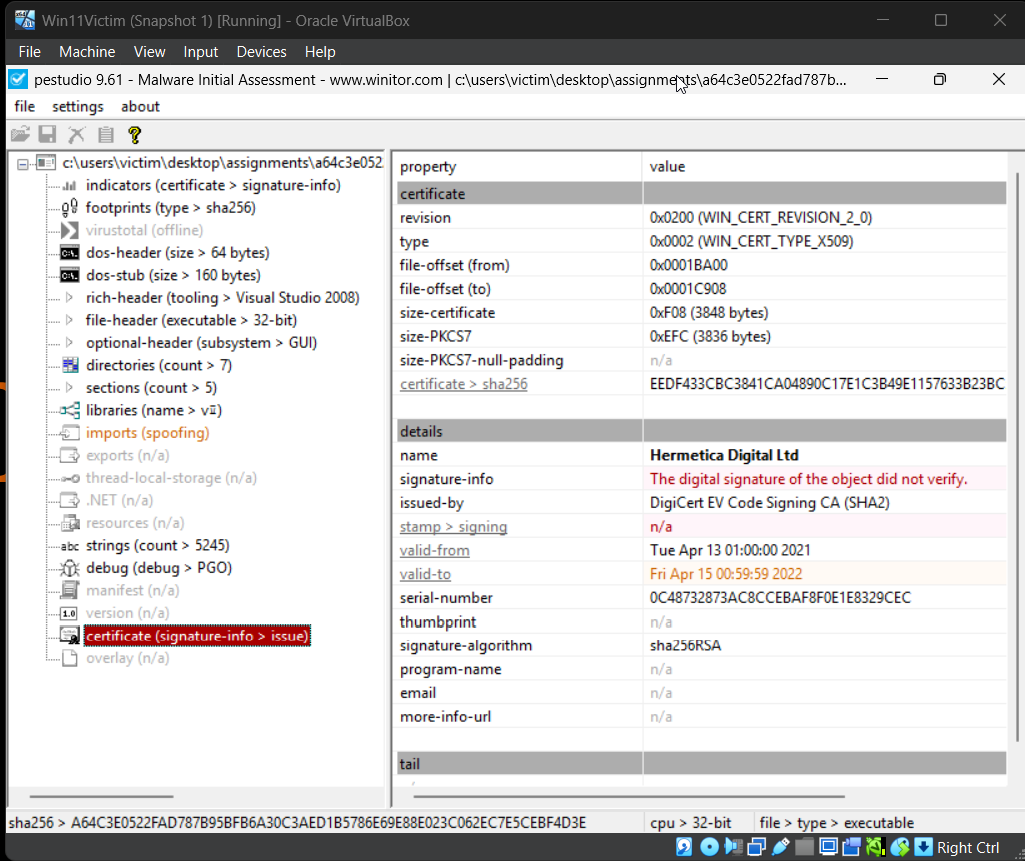
I checked the certificate because malware sometimes uses certificates to look legitimate or bypass basic trust checks. In my results, the certificate existed but the signature did not verify.
My conclusion from this is that either the signature is not valid anymore, or the file was changed after signing, or the certificate was abused. I did not treat the certificate as proof of legitimacy.
10. Correlating With Public Research (CISA) {#cisa}
At this point, static analysis strongly suggested packing and possible disk-level behavior, but I still wanted a reliable identification of the malware family. So I looked for public reporting using the hash and found a CISA advisory.
CISA Advisory: AA22-057A
I used the CISA advisory as a trusted reference because it is an official source and explains the campaign used against Ukraine. The behaviors described in the advisory matched the kind of indicators I saw (packing, abnormal structure, and disk-related hints). This is how I connected my technical findings to a real-world malware report.
11. Conclusion {#conclusion}
My final conclusion is that this sample is heavily packed and uses obfuscation techniques that break or confuse common static tools. The section entropy, broken imports, and unreadable strings all point toward an unpacking stage that would reveal more behavior at runtime.
Since my tools could not fully decode the logic statically, I used the hash to find an official CISA advisory. Based on the match between my static indicators and the advisory’s description of malware used against Ukraine in 2022, I concluded that this sample aligns with the destructive malware activity documented in that report.
12. Sources {#sources}
- VirusTotal file page (detection results): VirusTotal SHA-256 lookup
- CISA advisory used to understand the malware campaign: CISA AA22-057A
- PEStudio (static inspection, strings, signature checks)
- PE-bear (hashes, PE headers, sections)
- Detect It Easy (file type and basic identification)
- FLOSS (string decoding attempt)
- Microsoft PE format documentation: PE Format